


First Watch
4.8598.00 Reviews
App Specs
- Version
- 5.5.0
- Updated On
- License
- Free
- Downloads
- 500,000+
- Developer
- First Watch Restaurant Group, Inc.
- Categories
- Food & Drink
- Platform
- Android
Screenshots
 Analysis by AppCompare
When I want breakfast without turning the first part of my morning into a queue-management exercise, I look for a tool that gets me from “I need food” to “I have a realistic plan” with as little friction as possible. First Watch is built for that moment. It is a free Food & Drink app from First Watch Restaurant Group, Inc., designed around ordering ahead, reordering, and app-focused conveniences rather than trying to become an all-purpose restaurant platform. After spending time with it, my impression is that its value depends on how often you already choose First Watch. For a regular customer, it can make a familiar breakfast routine noticeably smoother. For someone comparing many nearby restaurants, it is much less useful than a broader delivery or restaurant-discovery service.
The app has been available since May 23, 2017, and its current version is 5.5.0. It has grown into a well-established option, with an average rating of 4.8 from around 3.2 thousand ratings and more than 500 thousand installs. Those figures suggest that it is not an experimental side project; people are using it as part of their restaurant routine. Still, popularity does not remove the central question: does it actually save time and reduce mistakes when breakfast is busy?
From deciding what to eat to placing the order
I find the useful question here is not simply whether the app lets me order, but when it makes the whole breakfast decision easier. In this section, I’ll look at how the focused workflow affects the time and attention I spend choosing a meal, then move into the situations where a larger or more complicated order puts that convenience to the test.
The starting condition: a familiar breakfast choice
The best way to understand First Watch is to picture a normal weekend morning. I know I want food from this particular restaurant, I may be feeding more than one person, and I would rather decide at home than stand near the host stand while everyone changes their mind. In that situation, opening a dedicated restaurant app makes more sense than searching the web, checking a general delivery marketplace, or calling the location.
The app’s focus is narrow, and that is a strength at the beginning of the workflow. I am not distracted by unrelated restaurants or a large marketplace interface. The purpose is clear: find the relevant First Watch option, look through the available menu, and move toward an order or a repeat order. That directness is especially helpful when I already know what I usually get.
It is less compelling when I am still deciding where to eat. If I want to compare breakfast prices, browse independent cafés, check several cuisines, or coordinate a delivery from different places, a broader service is a better starting point. First Watch is not the tool I would open for restaurant discovery across an entire neighborhood. I would use it after the restaurant decision has already been made.
Choosing a location before the menu becomes useful
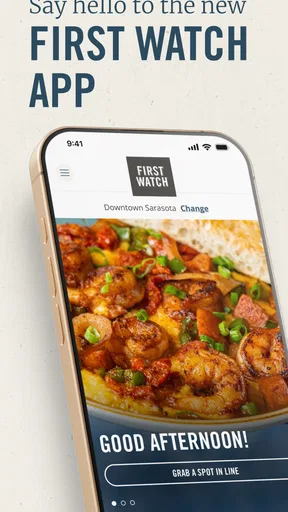
The first practical step is making sure the selected restaurant is the one I actually intend to use. That sounds obvious, but it matters more with breakfast orders than it might seem. A nearby location may be on the wrong side of a busy road, while another branch may be closer to home or work. I treat location selection as a checkpoint rather than rushing straight into menu browsing.
Worth Reading Before You Choose

EA SPORTS FC Mobile 26 Is a Bigger Football Game, but It Takes Time

Flipboard Shows What News Apps Must Do Beyond the Feed

Switching to Android Auto Means Rethinking Your Driving Routine

Google Calendar Makes a Crowded Week Easier to Manage

Ludo King Makes the Most of the Minutes Between Plans

Baby Panda World Brings Quick Play to Modern Phones, but Its Game Library Feels Busy
This is one of my most useful habits with the app: I confirm the restaurant before spending time customizing a meal. If I am ordering for several people, I also pause to check that the pickup plan matches where I will be when the food is ready. That small check prevents the common mistake of building an order first and discovering later that it is attached to an inconvenient location.
The app is most comfortable for a straightforward local pickup workflow. It puts the restaurant relationship at the center, so the experience feels more like dealing directly with First Watch than using an anonymous ordering marketplace. That can make the order feel simpler, but it also means I am responsible for thinking through the practical handoff myself: who will collect it, where they are going, and whether the timing fits the morning schedule.
Building an order without losing track of the group
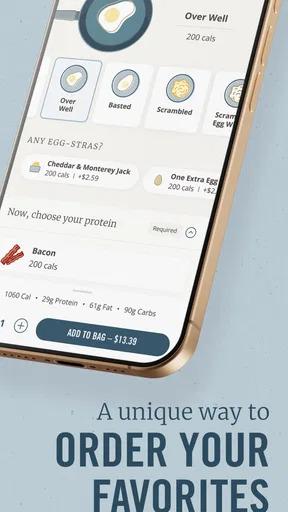
Once the location is settled, I can work through the menu and assemble the meal. This is where a dedicated app earns its place over a phone call. I can review choices at my own pace, make selections without worrying that someone is waiting on the other end, and check the order before submitting it. For a family or a small group, that visual review is valuable because breakfast orders often contain several small preferences.
I recommend treating the cart as a final checklist, not just a payment step. I look at each person’s item, confirm that custom choices are attached to the correct meal, and check quantities before placing the order. This is a concrete advantage over calling when the order is complicated: the responsibility for reading back the details is shared between the interface and me rather than relying entirely on a spoken exchange.
There is also a trade-off. A phone call can be faster when I have one simple, familiar order and the restaurant is easy to reach. The app becomes more useful as the order becomes more detailed or as I need to place it quietly while other people are still asleep. For a large order, however, I still slow down deliberately. Digital ordering reduces certain communication errors, but it does not eliminate the need to review what I selected.
Reordering as a shortcut, not a substitute for checking
The reorder option is one of the most practical parts of the experience for repeat customers. If I tend to choose the same breakfast, starting from a previous order is more efficient than rebuilding it from the beginning. This is particularly helpful during a workday when I want a dependable meal and do not want to navigate the full menu again.
My advice is to use reordering as a draft. I would not tap through automatically without checking it. The people involved may have changed their preferences, the occasion may call for different portions, or the intended location may not be the same. The shortcut saves effort, but the final review still matters. That balance is a good example of where the app helps without pretending to make every decision for me.
Reordering also works best when my habits are stable. If I visit First Watch only occasionally and usually try something different, the feature has less impact. In that case, browsing the current menu and making a fresh choice is probably just as easy. The app’s strongest convenience is cumulative: the more often I return with similar needs, the more time it can remove from the process.
Submitting the order and preparing for the handoff
After reviewing the cart, I move through the ordering process and make sure I understand what happens next. The important mental shift is that placing the order is not the end of the workflow. It creates a handoff between me and the restaurant. I have chosen the items, but the restaurant still has to prepare them, and I still have to collect them in a sensible way.
That is why I avoid placing an order while I am still uncertain about when I can leave. A breakfast order is only convenient if I can arrive at an appropriate time and take it where it needs to go. The app can organize the request, but it cannot solve a late meeting, a delayed ride, or a sudden change of plans. I find it works best when I use it before the morning becomes chaotic, not as a last-second rescue tool.
For a normal pickup scenario, the workflow is easy to explain: I choose the location, build or repeat the order, review the details, submit it, and then travel to the restaurant for the next step. That clear sequence is the app’s main practical achievement. It does not need to reinvent breakfast; it needs to remove unnecessary back-and-forth from a meal I was already going to buy.
What the handoffs feel like in everyday use
The first handoff is from my intention to the digital order. I decide what I want, and the app turns that decision into a structured request. The second is from the app to the restaurant team, which must receive and prepare the order. The third is from the restaurant to me when I arrive. Thinking about these stages helps explain both the app’s strengths and its limits.
At the first handoff, the app is more reliable than memory. I can see the order rather than trying to remember everything I said on a call. At the second, the app is convenient because I do not have to keep a phone line open or repeat information. At the third, the result depends on the real-world visit. I still need to identify the correct restaurant and collect the food; the app does not replace that physical step.
This is also where I would be careful with group orders. If one person places the order but another person collects it, I make sure the collector knows the selected location and the order details. The app handles the digital portion, but the human handoff still needs a clear plan. That is a small operational detail many quick reviews overlook, yet it is often what determines whether a convenient order actually feels convenient.
The result: where First Watch earns its place
When everything lines up, the result is a more controlled breakfast routine. I can make decisions away from the restaurant, avoid spending the whole ordering conversation at the counter, and reuse a familiar order when that is what I want. The experience is especially useful for planned weekend breakfasts, office food runs, and mornings when a group needs to agree on several items without crowding around a menu.
I also like that the app is free to download and intended for Everyone, which makes it approachable for households with different levels of technical confidence. Its minimum operating system requirement is 7.1, so it is not limited to only the newest phones. That broad compatibility is helpful if the person placing the order is using an older device rather than a recently upgraded one.
The app’s 500K-plus install reach and strong average rating make sense to me because its purpose is easy to understand. It is not trying to replace the restaurant visit entirely. Instead, it improves the part before arrival. That distinction matters: I see it as a planning and ordering companion, not as a complete breakfast-management system.
For a realistic example, imagine that I am taking breakfast to a small office. I can open the app before leaving home, select the relevant First Watch location, add each colleague’s meal, review the cart for mismatched customizations, and use a previous order as a starting point if the group has a familiar routine. The person collecting the food then has a clear destination and a defined handoff. The time saved is not only the ordering itself; it is the reduction in repeated questions and last-minute decisions.
Where the flow breaks down
The first weak point is dependence on one restaurant brand. If First Watch is not already the group’s preferred choice, the app offers little help with the broader decision. Someone looking for the fastest nearby breakfast, the lowest-cost option, or a place that serves a particular dietary need may get more value from a general restaurant app or a map-based search.
The second weak point is that digital convenience can encourage overconfidence about timing. I would not assume that placing an order automatically makes the morning predictable. Travel time, restaurant workload, and the difference between preparing an order and physically receiving it still matter. I use the app to organize the request, then leave enough room for the real-world part of the trip.
The third issue is the temptation to reorder without reviewing. A saved routine is helpful, but it can also carry forward an old decision that no longer fits the current group. I consider the reorder feature a time-saving starting point rather than a one-tap guarantee that everything is still correct. That extra review takes little effort and is worthwhile when several people are involved.
There is also a personal limitation: if I enjoy browsing broadly before choosing breakfast, a dedicated brand app can feel restrictive. I may prefer comparing restaurants in one place, especially when I am traveling or meeting friends who want different options. First Watch is strongest after the choice has narrowed, not while I am still exploring every possibility.
Who should use it and who should skip it
I would recommend First Watch to regular customers, families arranging a planned meal, and anyone who often repeats the same breakfast order. It is also a good fit for people who dislike making a detailed order aloud or who want to review several meals before submitting them. The app’s focused design supports a direct path from selection to restaurant handoff.
I would skip it if I rarely visit First Watch, if I mainly need restaurant discovery, or if I expect one app to coordinate several different restaurants. A broad delivery or local-search service will be more flexible in those situations. I would also avoid relying on it as the sole solution for a highly time-sensitive morning; the digital order can reduce ordering friction, but it cannot control every part of pickup.
The developer, First Watch Restaurant Group, Inc., has kept the app centered on the restaurant’s own customer journey rather than filling it with unrelated features. That focus is why I find it easy to recommend selectively. It is not the best breakfast app for everyone, but it can be the right small tool for a very specific recurring problem.
My final take after following the full workflow
After using First Watch from the initial decision through the pickup handoff, I see it as a practical convenience app rather than an essential app for every diner. Its strongest moment is the planned repeat visit: I know the restaurant, I have a group or a familiar order, and I want to reduce the amount of time spent arranging breakfast at the location.
The experience is not frictionless in the absolute sense. I still need to choose the right restaurant, check the cart, think about timing, and make sure the person collecting the order knows what to do. Those responsibilities are not flaws unique to this app, but they are important expectations to set. The app streamlines the digital portion; it does not erase the physical breakfast trip.
At no cost, with an Everyone content rating and a current version of 5.5.0, it is easy to try if First Watch is already part of my routine. I would install it for repeat ordering and organized group pickups, then judge it by whether those situations occur often enough to justify another restaurant-specific app. For the right customer, the biggest benefit is not novelty but a calmer, more repeatable path from breakfast decision to finished pickup.
Pros
- Easy access to live and on-demand First Watch content
- Clean interface makes browsing shows and episodes simple
- Useful search tools help locate specific programs quickly
- Supports convenient viewing on compatible mobile devices
- Regular content updates keep the catalog feeling fresh
Cons
- Some content may require a participating TV provider login
- Availability can vary by location and licensing agreements
- Video quality depends heavily on your internet connection
- Background playback may not be available for all content
- The app may use considerable mobile data when streaming
FAQs for First Watch
What is First Watch, and what can I use it for?
First Watch is the official app for the First Watch daytime café restaurant chain. It is designed to help you explore the menu, find nearby locations, view restaurant details, and plan a visit. Depending on your location and the latest app version, it may also provide options for ordering, joining a waitlist, or managing rewards and promotions.
Can I order First Watch food for pickup or delivery through the app?
The app may support digital ordering, but available services can vary by restaurant, region, operating hours, and local delivery partners. After selecting a location, check whether pickup or delivery appears as an option. Some menu items, customizations, fees, minimum order requirements, and estimated preparation times may differ from what is available for dine-in service.
Does the First Watch app offer rewards, coupons, or special promotions?
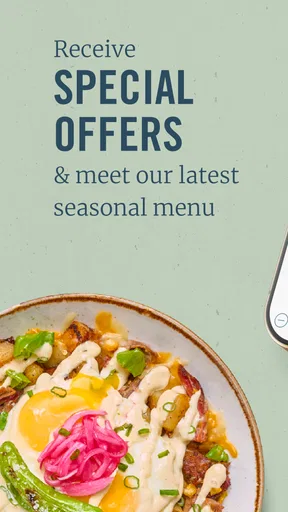
First Watch may provide loyalty features, digital offers, or promotional benefits through its app or connected account. Availability and terms can change over time, and some rewards may have expiration dates, location restrictions, or purchase requirements. Before relying on an offer, review its conditions carefully and confirm that it applies to the restaurant and order type you intend to use.
Can I use the app to join a waitlist or make a reservation at First Watch?
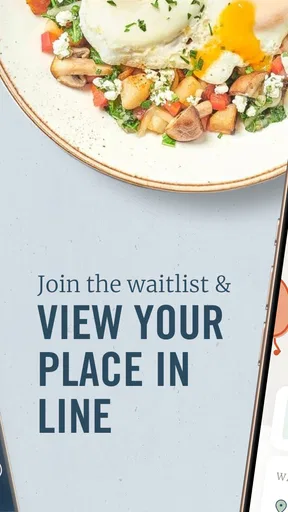
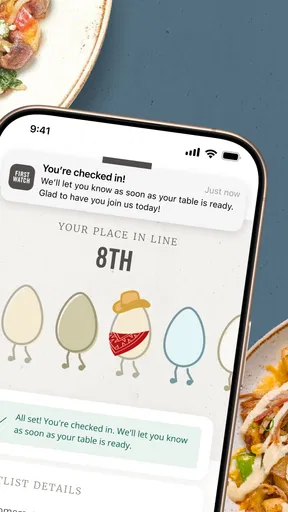
Many First Watch locations use digital waitlist features to help guests check estimated wait times and join a queue before arriving. However, the exact options depend on the individual restaurant and how busy it is. A waitlist entry is not always the same as a guaranteed reservation, so check the confirmation details and arrive within the stated timeframe.
Is the First Watch app free, and what information does it require?
Downloading and using the First Watch app is generally free, although normal mobile data charges may apply and purchases made through the app are billed separately. Certain features may require an account, email address, phone number, or location permission. You can review the app’s privacy policy and device permissions before signing up or enabling location-based services.


